

Most meeting tools send your audio to a server to be transcribed. Oatmeal does the work on your Mac instead, so the recording and the transcript stay where they were made.
After the meeting, on your Mac
While you’re on the call, Oatmeal records. When you stop, it writes the transcript using a transcription model on your Mac. Nothing is uploaded and nothing about the meeting is sent anywhere. It works without an internet connection.
Long meetings can be stopped part way and resumed later, without starting from the beginning.
A transcript you can work with
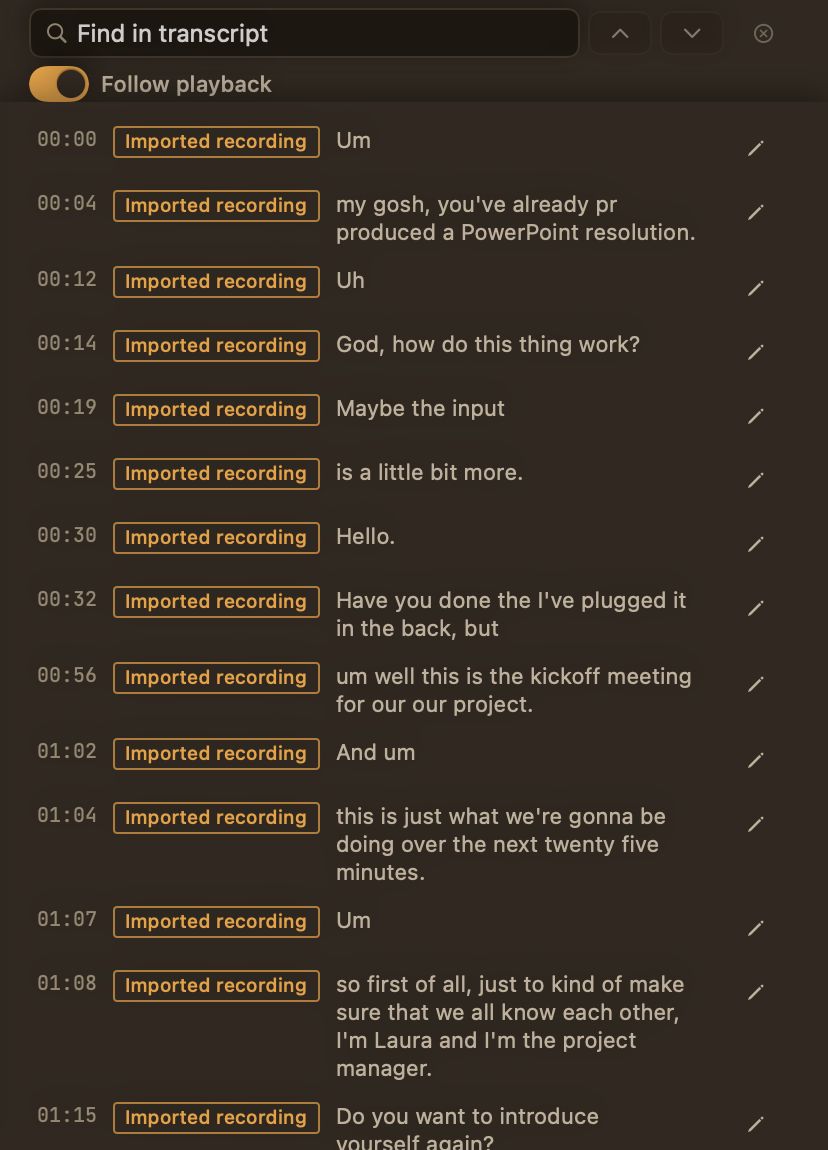
- Find. Press ⌘F to search the transcript and see how many matches there are.
- Play back. Follow along as the meeting plays, with the current word highlighted.
- Correct. Fix a misheard word or name right in the transcript.
- Keep your fixes. If you transcribe the meeting again later, your corrections stay.
Lines are labelled by where the sound came from: Me for your microphone and System audio for everything your Mac played. Oatmeal doesn’t identify or name the other people on the call.
What to know first
Transcription is English only, and it happens after the meeting rather than live. Oatmeal works with transcription models you add to your Mac; Settings lists the ones it finds, labels the ones we’ve tested, and can check that a model works before you rely on it.